
DATE
TIME
====================
Minecraft Sundial
====================
By sunkid

https://github.com/sunkid/minecraft-sundial/

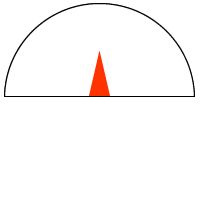
Provides a clock and sun/moon dial widget to show the current time and "date" on an SMP world.

On startup and occasionally afterwards, the widget retrieves the current number of clicks (the
'Time' value from level.dat) from the server. It calculates the "date" based on converted
wall-clock seconds since the epoch, where a wall-clock second is 72 seconds on a minecraft world.
Between updates from the server, the time, date, and dial are updated using the browser's clock.

REQUIREMENTS

This widget uses and depends on the following files that are not part of this distribution:

 * jQueryRotate.js by Wilq32 (Pawel Witkowski)
   available from http://code.google.com/p/jqueryrotate/

 * nbt.class.php by Justin Martian
   available from http://thefrozenfire.com/2010/12/nbt-decoderencoder-for-php/

Additionally, you will have to have php installed on your server.

INSTALLATION

 1) download the distribution from the link below and unzip all files in your map's HTML
    directory

    https://github.com/sunkid/minecraft-sundial/raw/master/dist/sundial.zip

 2) edit your map's html file (e.g. index.html) and add the following

    in the <head> section (you can skip the first line if jQuery is already there):

   	<script type="text/javascript" src="http://code.jquery.com/jquery-1.5.min.js"></script>
	<script type="text/javascript" src="jQueryRotate.js"></script>
	<script type="text/javascript" src="sundial.js"></script>
	<link rel="stylesheet" href="sundial.css" type="text/css"/>

	in the <body> section right after the <div> containing the map:

	<div id="mcdial" class="mcdial">
		<img src="mask.png" id="mask">
		<img src="dial.png" id="dial">
		<div id="date" class="datetime">DATE</div>
		<div id="time" class="datetime">TIME</div>
		<div id="debug" class="datetime" style="visibility: hidden;"></div>
		<div id="sdcredits" class="datetime">
		    <a class="sdlink" href="https://github.com/sunkid/minecraft-sundial">minecraft sundial</a>
		</div>
	</div>

 3) edit getServerTime.php script to point to your world's level.dat file
 4) test getServerTime.php by running

    php getServerTime.php

    the output should look something like this:

    [105064250]

 5) open your modified map from a browser and you should see the sundial in the top right corner.


LICENSING

This software is copyright by sunkid <sunkid@iminurnetz.com> and is distributed under a dual license:

 Non-Commercial Use:
    This program is free software: you can redistribute it and/or modify
    it under the terms of the GNU General Public License as published by
    the Free Software Foundation, either version 3 of the License, or
    (at your option) any later version.

    This program is distributed in the hope that it will be useful,
    but WITHOUT ANY WARRANTY; without even the implied warranty of
    MERCHANTABILITY or FITNESS FOR A PARTICULAR PURPOSE.  See the
    GNU General Public License for more details.

    You should have received a copy of the GNU General Public License
    along with this program.  If not, see <http://www.gnu.org/licenses/>.

 Commercial Use:
    Please contact sunkid@iminurnetz.com